Halo Launch
Global Hotkey Summon & Full-Screen / Centered Modes
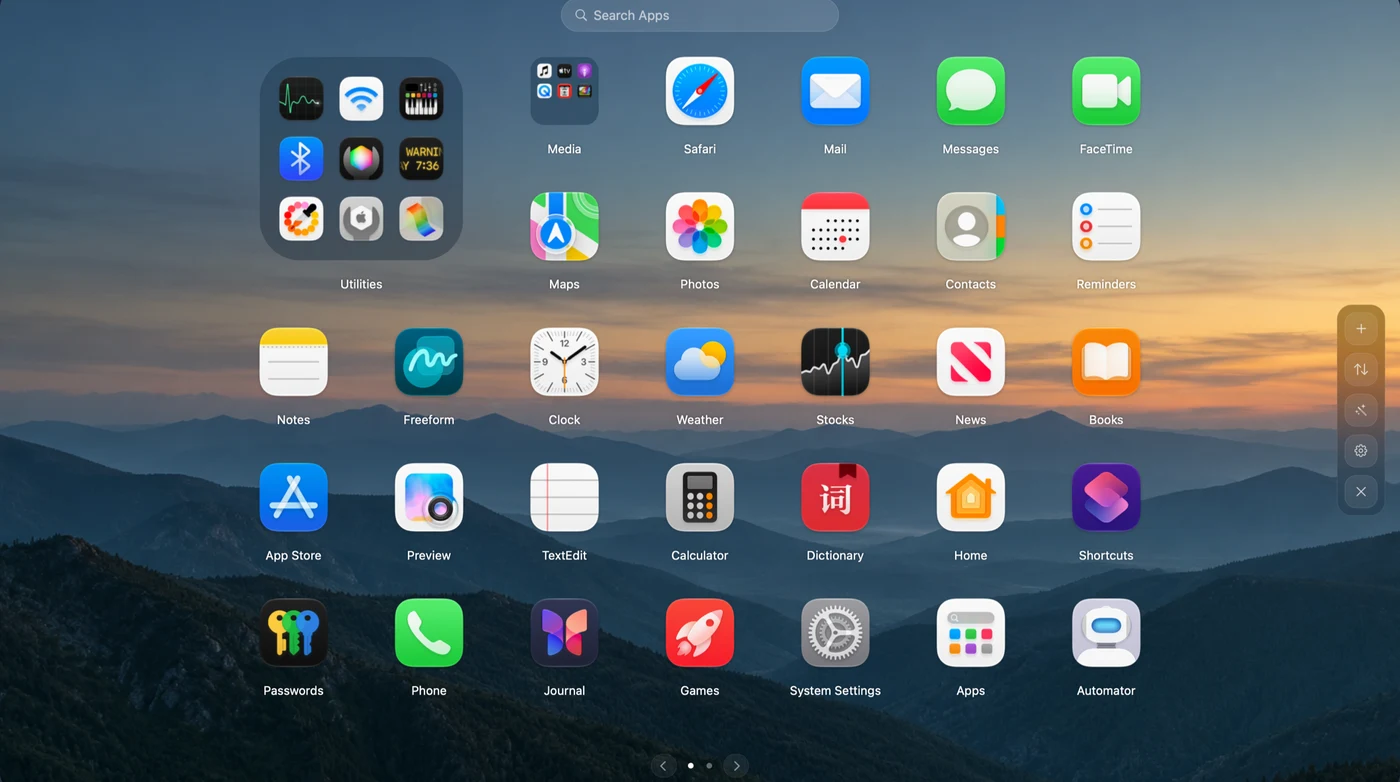
Toggle the launcher on the active display with a global shortcut; switch between full-screen and a 1040×710 centered window.
Halo Launch
App Launcher & Desktop UtilitySummon a full-screen or centered app grid on macOS 15+, search instantly by name or Pinyin initials, and organize apps, folders, files, and web links in one place.

SHOWCASE
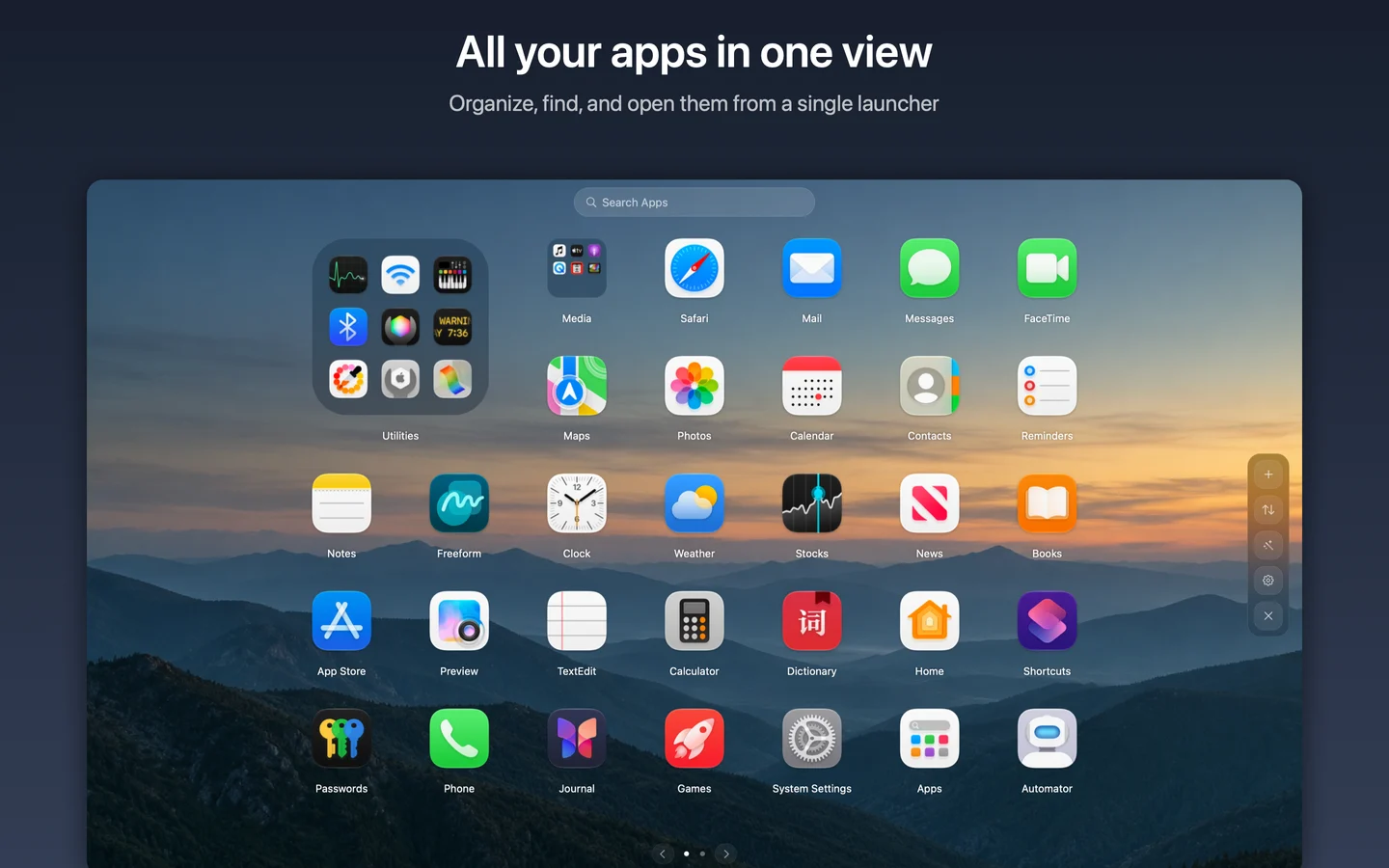
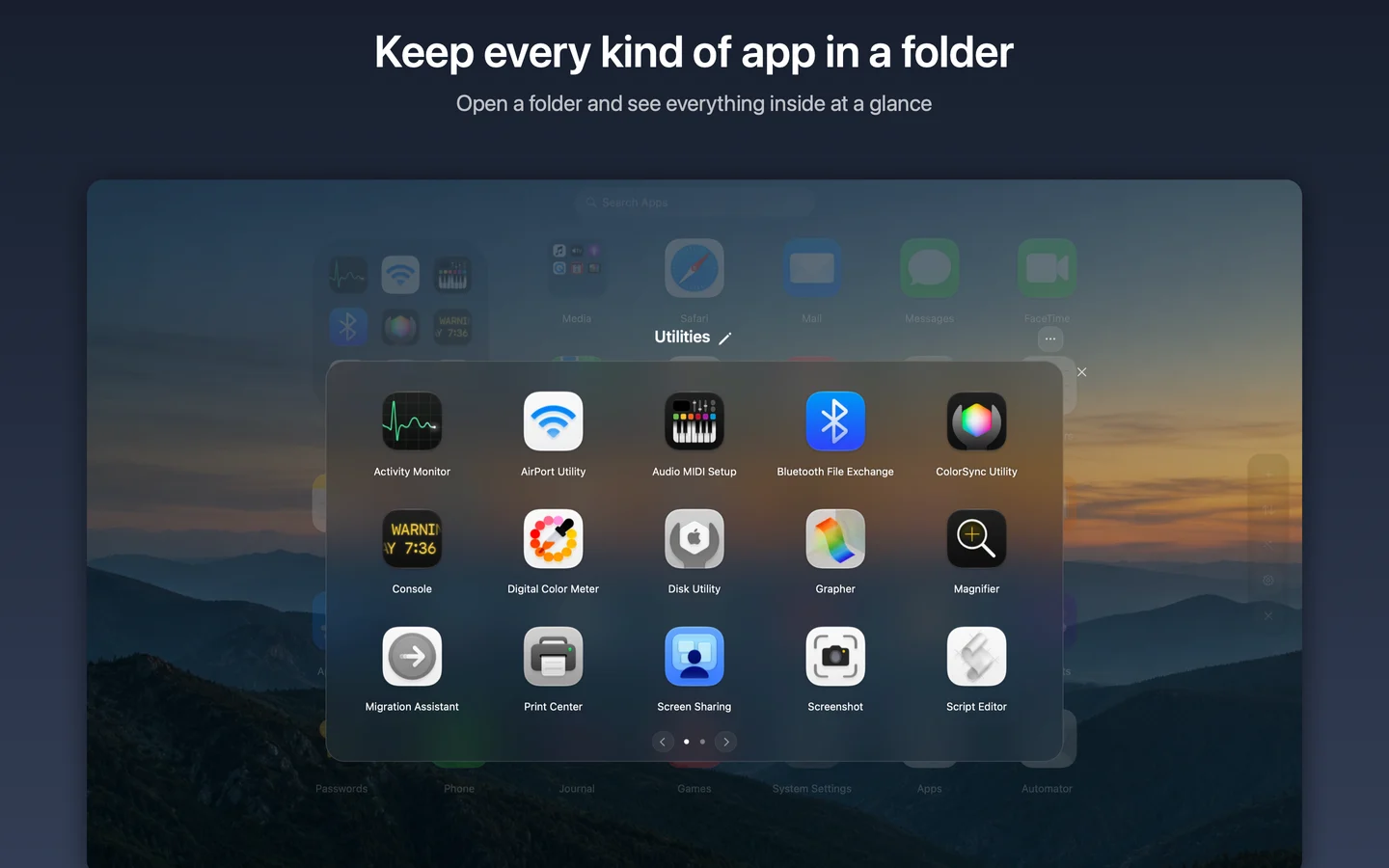
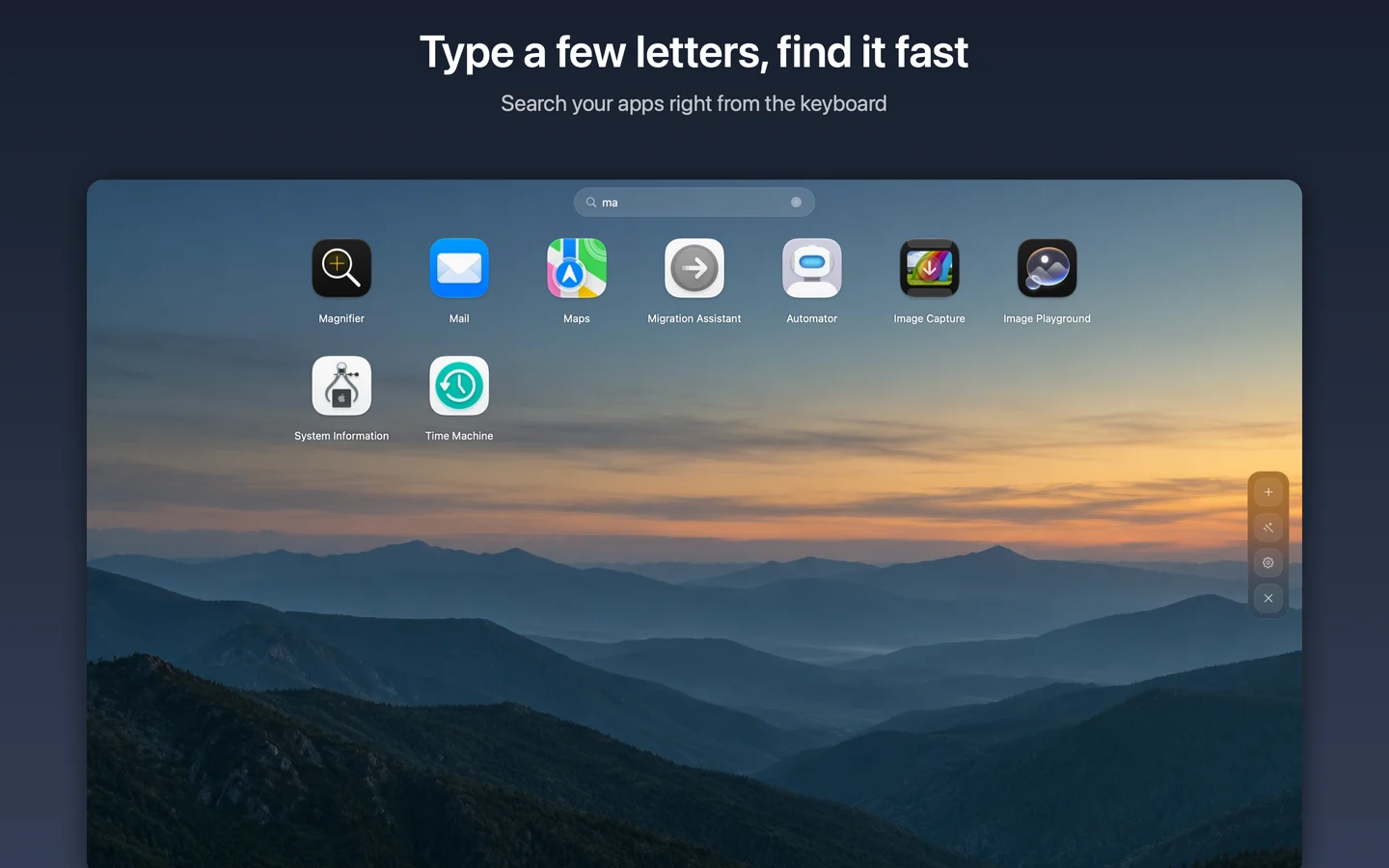
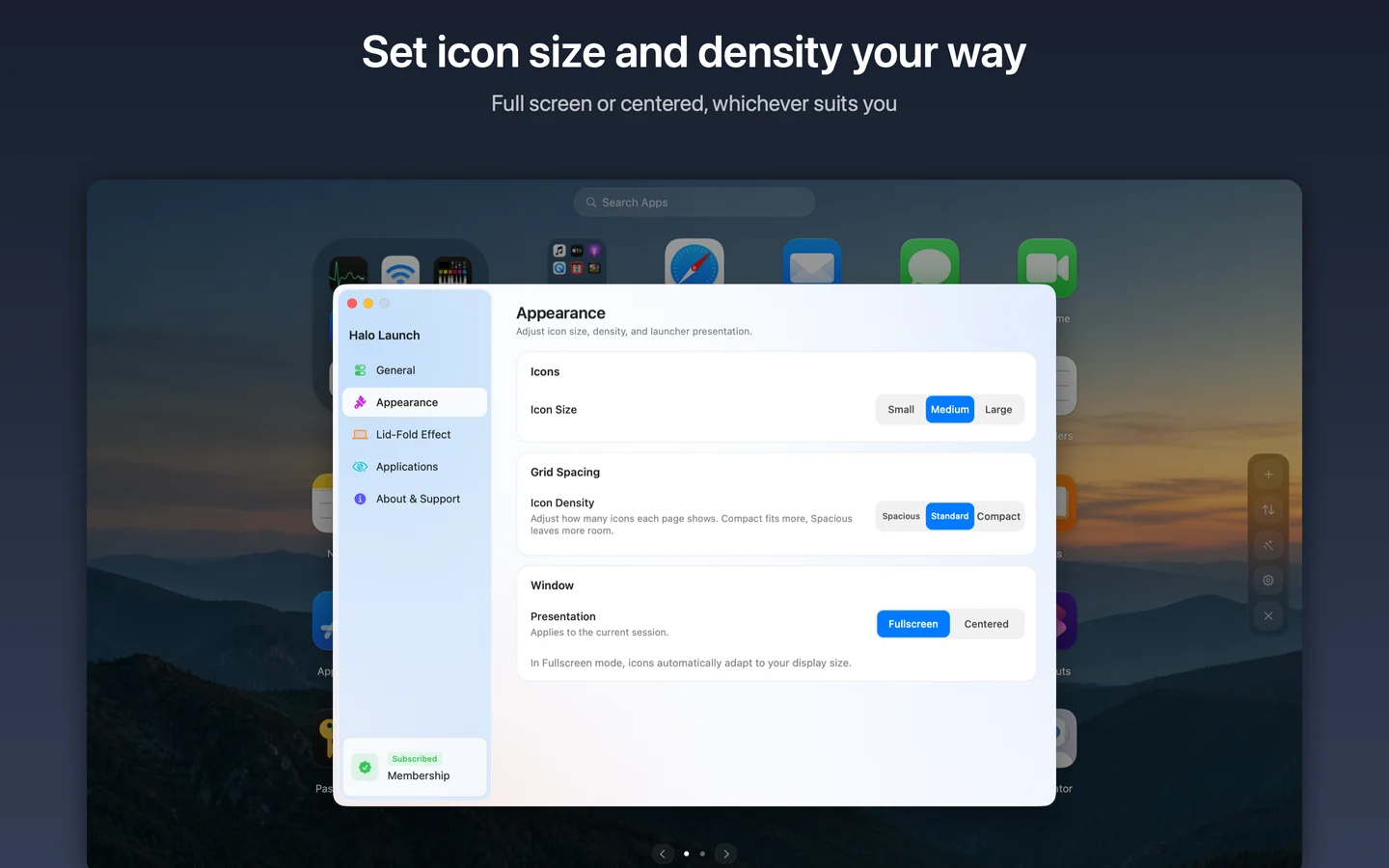
Published Mac App Store screenshots for Halo Launch (app grid, open folder, instant search, and appearance settings).
FEATURES
Built for Mac users who want a fast grid launcher, keyboard-first Pinyin search, and clean folder organization for apps, files, and links.
Toggle the launcher on the active display with a global shortcut; switch between full-screen and a 1040×710 centered window.
Type an app name, full Pinyin, or initials to filter the grid immediately, then navigate with arrow keys and press Return to launch.
Sort by custom order, name, recently opened, or recently added for free; Pro adds icon-color and usage-frequency sorting.
Add web URLs, local files, or folders alongside apps with custom icons, crop modes, corner radius, and borders.
Long-press or marquee-select multiple items to move into folders, preview one-click smart categorization, and restore snapshots anytime.
Expand frequent folders into 2×2 large folders for direct one-click launch from the main grid, and adjust icon sizes across three steps.
Preview or trigger a 3D progressive folding animation driven by the MacBook lid angle sensor in memory.
The cards are drawn on this page with sample data.
WORKFLOWS
You can jump straight into any installed application without hunting through Finder or a crowded Dock.
If you also keep apps in ~/Applications, grant one-time read-only access in Settings → App Management to include them.
Pages of scattered icons turn into structured categories and direct-launch 2×2 folders while keeping a rollback snapshot ready.
Halo Launch saves a snapshot before each Layout Arrangement so you can revert to your previous layout with one click.
Your key web tools, folders, and Mac apps live in one launcher grid, paired with an interactive 3D lid transition on MacBook.
Desktop Macs without a built-in lid angle sensor (Mac mini, Mac Studio, iMac, Mac Pro) can still run the manual Preview Effect.
PRICING
Free includes the core launcher, Pinyin search and shortcuts; Pro unlocks smart organization, large folders and visual effects.
Free
Paid unlock
Free for one month
| Feature | Free | Pro |
|---|---|---|
| Global Hotkey Summon & Full-Screen / Centered Modes | ✓ | ✓ |
| Instant Name & Pinyin Search with Keyboard Launch | ✓ | ✓ |
| Six Sorting Modes & Direct Drag-to-Customize | ✓ | ✓ |
| Web Links, Local Files & Folder Shortcuts | ✓ | ✓ |
| Batch Multi-Select, Smart Categorization & Layout Preview | — | ✓ |
| 2×2 Large Folders, Three Folder Styles & Icon Size Presets | — | ✓ |
| Real-Time 3D Lid-Fold Effect on MacBook | — | ✓ |
Purchases are processed securely through the Apple App Store (StoreKit 2). You can restore purchases across Macs signed into the same Apple Account or manage subscriptions anytime in Settings → Membership Center.
Manage subscriptions with ApplePRIVACY & LIMITS
Local-only data & zero tracking: No account sign-up and no third-party analytics, telemetry, or advertising SDKs. Grid order, folders, shortcuts, and settings stay inside your local app sandbox.
User-authorized read-only bookmarks: Reads system application folders by default and only accesses ~/Applications or local shortcut targets after you explicitly select them via macOS file dialogs, without modifying or deleting source files.
In-memory single-frame Lid-Fold rendering: Reads the built-in lid angle sensor read-only only when the feature or its settings tab is active, and captures a single in-memory frame via ScreenCaptureKit solely to render the 3D fold texture—never saved to disk or transmitted.
Privacy policyCOMPATIBILITY
FAQ
Halo Launch requires macOS 15.0 or later and ships as a Universal Binary for both Apple silicon (M-series) and Intel Macs. On macOS 26 and later, it automatically adopts native Liquid Glass materials.
Because Halo Launch runs inside the Mac App Store sandbox, it can enumerate system-wide /Applications by default but needs your permission for your home folder. Go to Settings → App Management, authorize your personal Applications folder once, and Halo Launch will keep a read-only security-scoped bookmark for future scans.
The free version covers everyday launching: full-screen or centered mode, custom global hotkey, instant name and Pinyin search, single-icon drag-and-drop, standard folders, four sort modes (Custom, Name, Recently Opened, Recently Added), web and local file/folder shortcuts, restoring hidden apps, and the 3D Lid-Fold preview. Pro unlocks batch multi-select organization, Smart Categorization, Layout Arrangement preview, 2×2 Large Folders, three folder preview styles, three icon size presets, sorting by Icon Color or Most Used, hiding apps, and the live MacBook Lid-Fold Effect.
When you manually drag an icon while an automatic sort mode is active, Halo Launch automatically captures the current visible grid order as your Custom order and switches to Custom sorting so your manual adjustment is preserved.
No. Shortcuts only store the web URL or a read-only security-scoped bookmark to the target file or folder, along with your custom icon styling inside the Halo Launch sandbox. Launching a shortcut opens it via macOS, and removing a shortcut never deletes or alters the original file.
When you enable the Pro live Lid-Fold Effect, Halo Launch uses Apple's ScreenCaptureKit to take a single in-memory snapshot of the current screen so it can map the image onto the 3D folding panels as the lid closes or opens. The frame exists only in RAM during the 3.4-second animation and is never written to disk, recorded as video/audio, or sent anywhere.
Halo Launch Pro offers three options that unlock the exact same features: Monthly subscription (reference price ¥1.80/month in the China Mainland App Store, with a 1-month free trial for eligible new subscribers), Yearly subscription (reference price ¥9.90/year in CN), and a one-time Lifetime purchase (reference price ¥14.80 in CN). Exact regional currency, pricing, and trial eligibility are shown by the App Store at checkout.
Halo Launch offers a Free tier and a single Pro tier that unlocks all smart organization, large folders, and visual effects together. Exact regional currency, pricing, purchase options, and trial eligibility are shown by the App Store at checkout.
Summon a full-screen or centered app grid on macOS 15+, search instantly by name or Pinyin initials, and organize apps, folders, files, and web links in one place.
MORE APPS

Clipboard history
A clipboard history tool for text, links, images, and files. Keep the things you copy close, and find them when you need them.

Menu bar calendar
A menu bar calendar with dates, weather, events, and to-dos. A quiet home for your daily plans, right on your Mac.

Screenshots & OCR
Screenshots, annotations, and text recognition in a focused Mac tool. Capture what matters and get it ready to share.