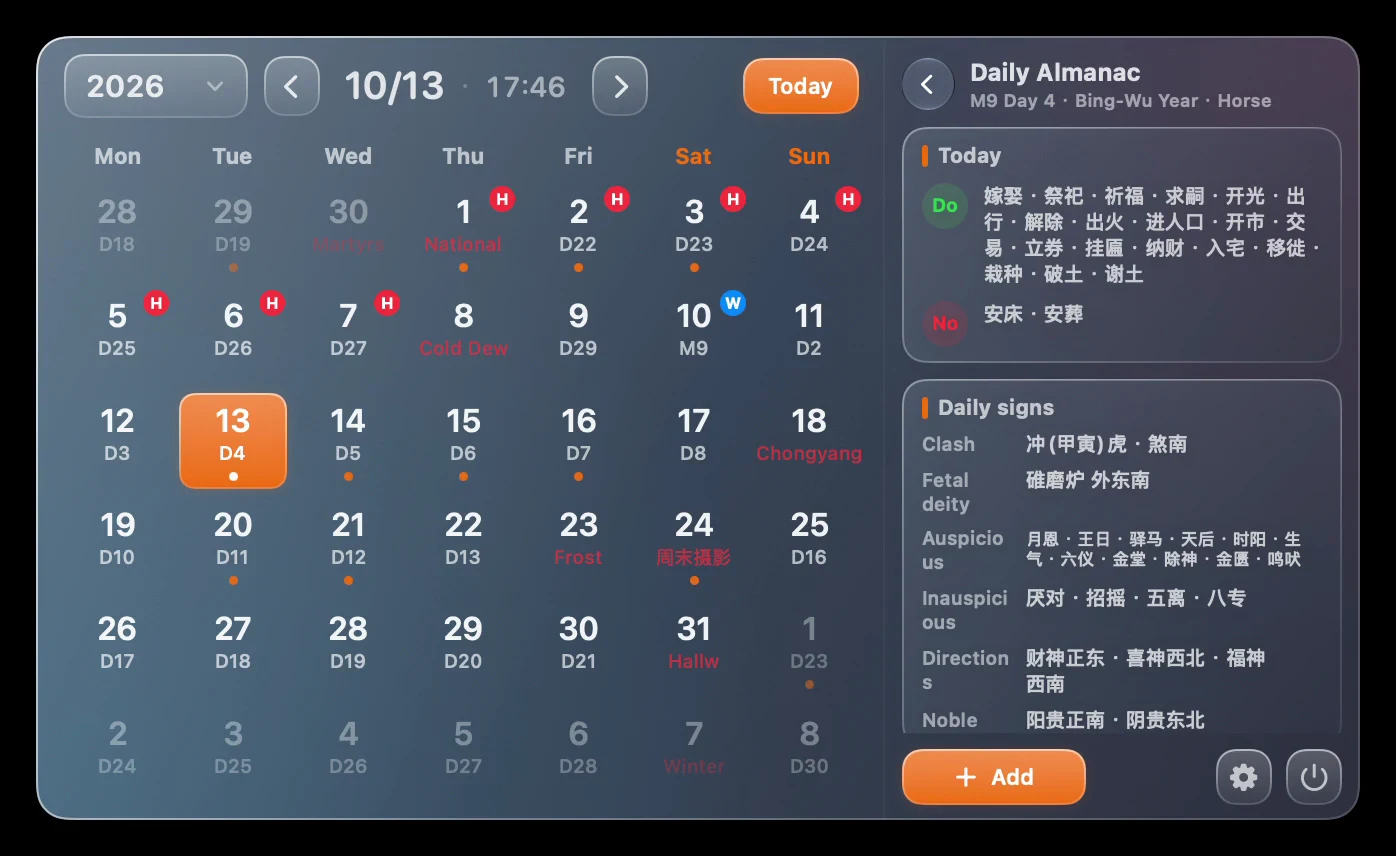
Find the right day
Browse dates and see the tasks alongside the calendar.
AirCalendar
Mac menu bar calendarCheck existing calendar events with Strict Read-Only Apple Calendar Sync, plan to-dos with 2-Way macOS Reminders Sync, and view Chinese lunar dates and holidays right from your Mac’s menu bar.
AirCalendar
Today has sample events and tasks. Pick a date to add your own.
Interactive demo · sample events and tasks
Explore each view at your own pace. Videos play only when you choose.
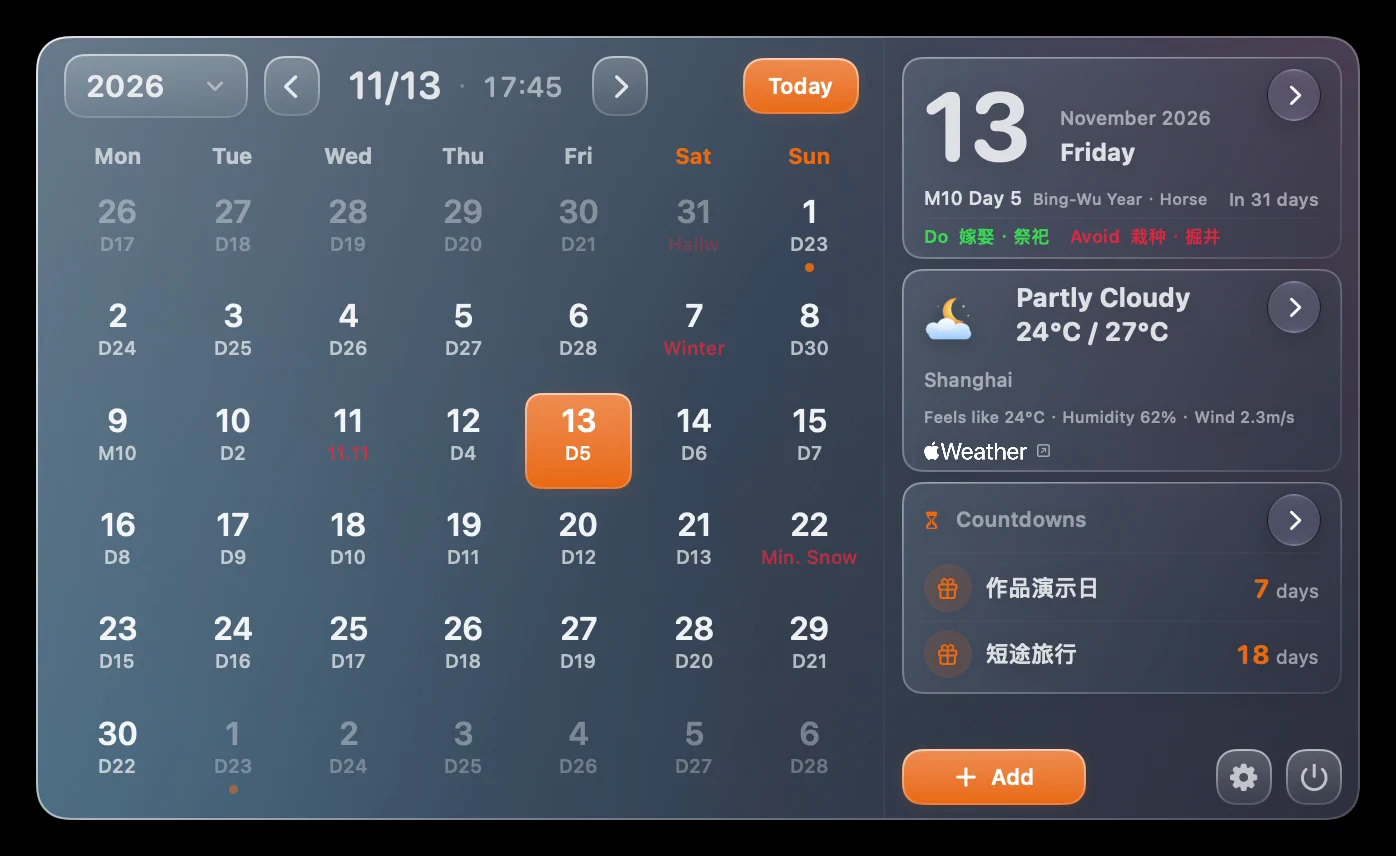
Recorded with AirCalendar Pro on October 13, 2026. Sample event titles remain in Chinese.
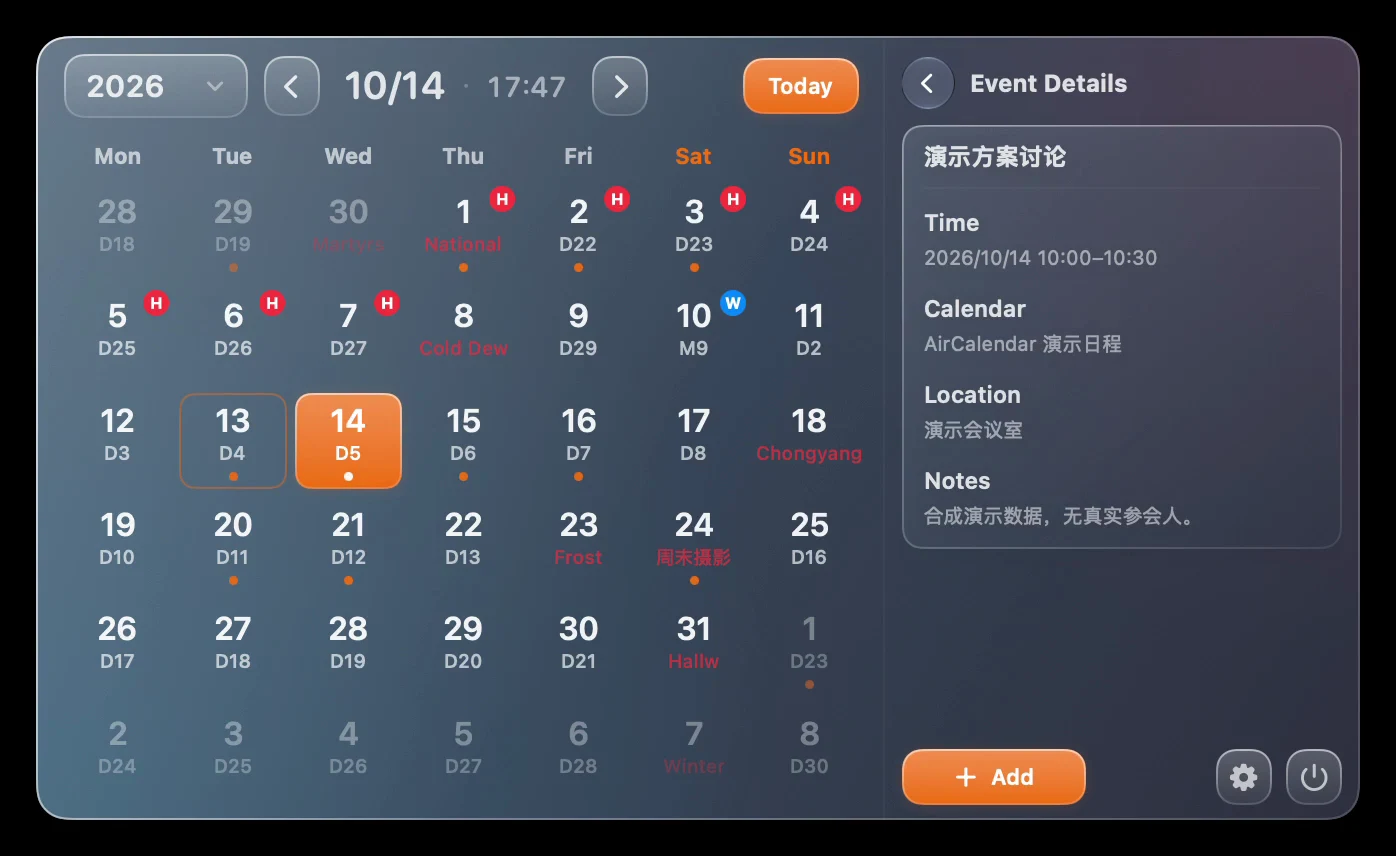
Browse dates and see the tasks alongside the calendar.
Strict Read-Only Apple Calendar Sync: read the time and details of existing system calendar events after granting calendar access. AirCalendar never modifies your native Calendar.
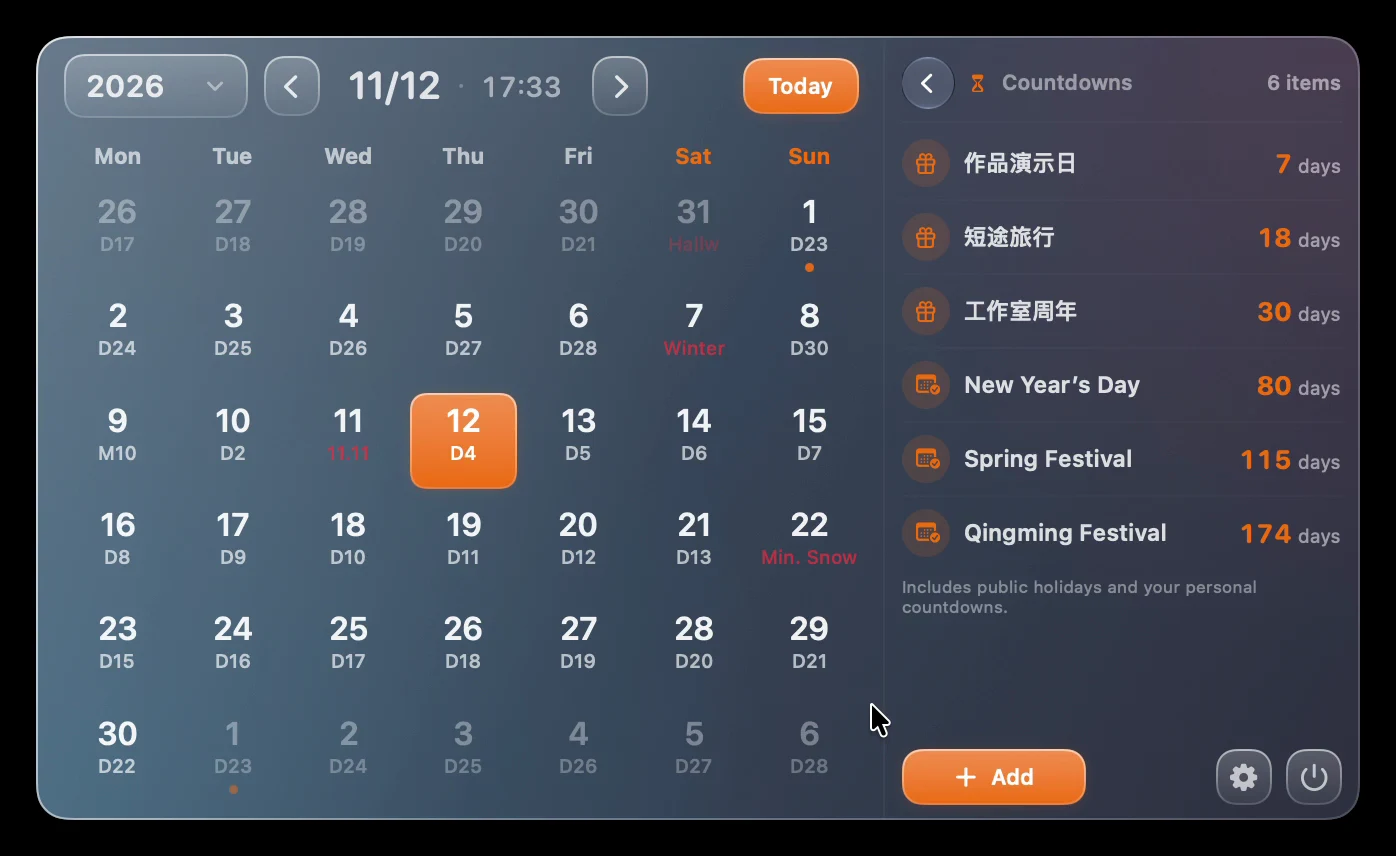
See upcoming personal dates and select a day from the list. Create countdowns and reminders using either the Gregorian or Chinese lunar calendar.
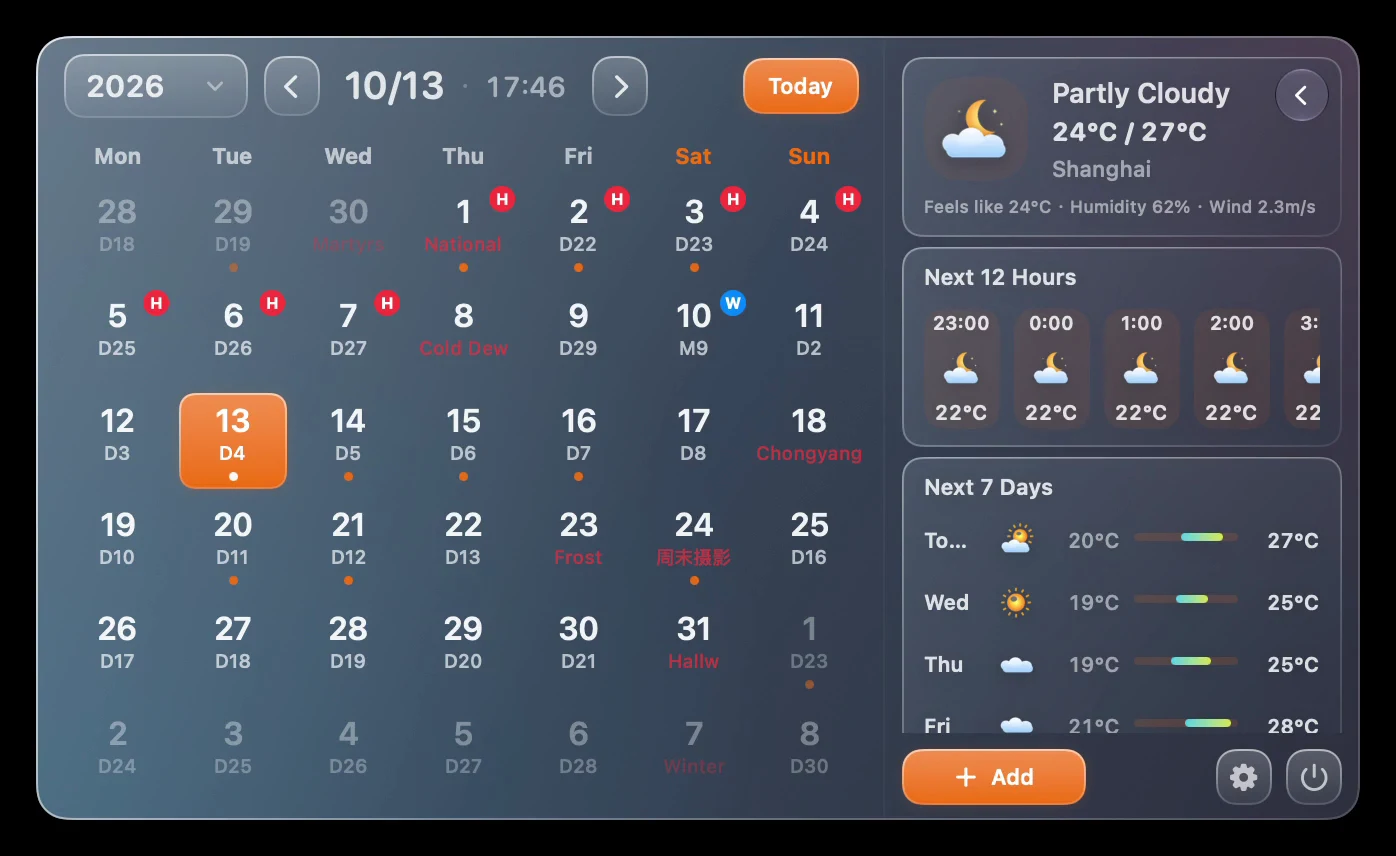
View hourly trends and a daily forecast. Requires Pro, a network connection, and a selected city or location access.
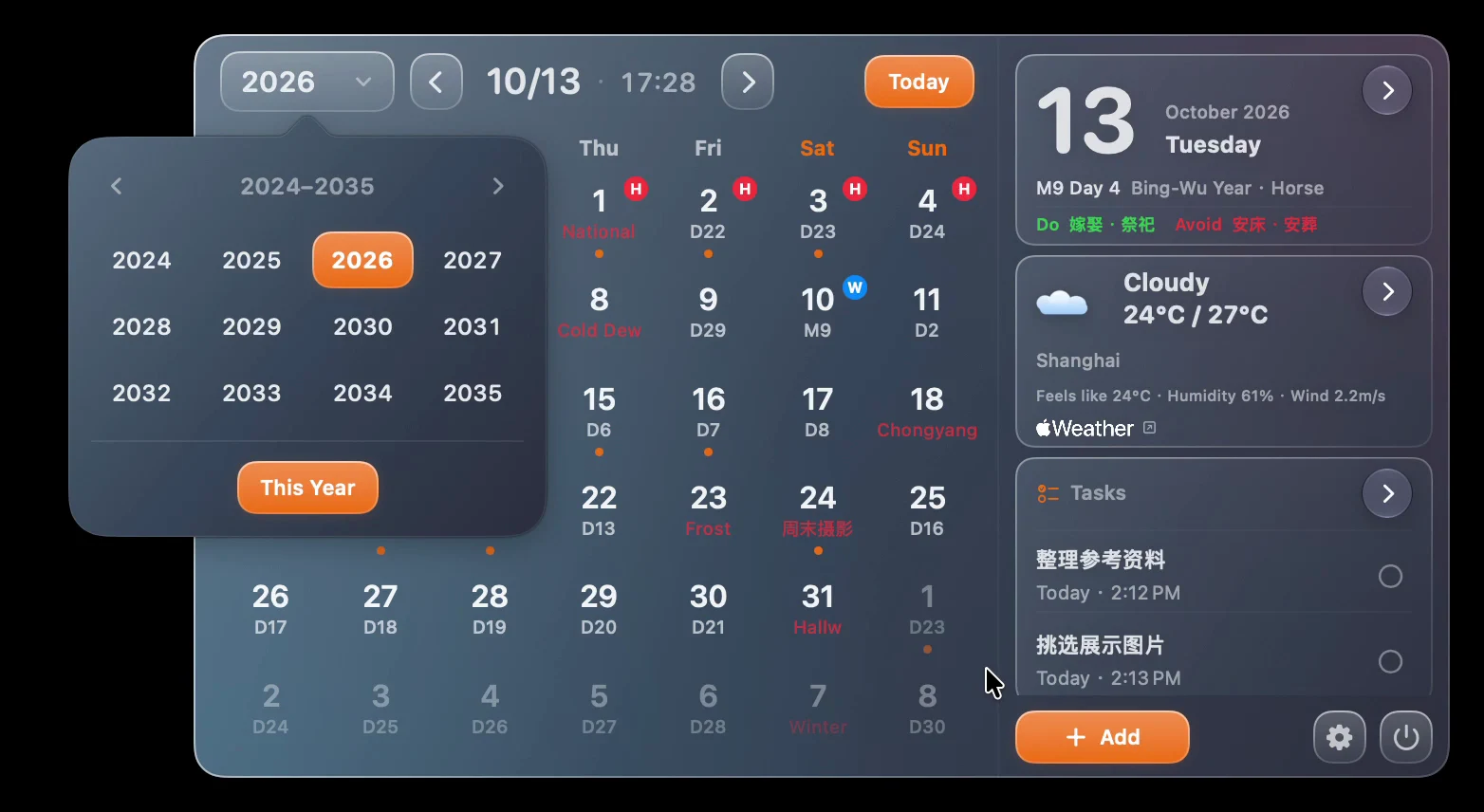
Open the year picker to navigate beyond the current month.
Look up lunar dates, solar terms and traditional almanac information. Some traditional values remain in Chinese.
Calendar, almanac, weather and event videos show the opened views. Countdown and year videos include interaction. Almanac values and sample titles retain their original Chinese text.
FEATURES
Look up tomorrow’s schedule while you work with Strict Read-Only Apple Calendar Sync, add a preparation task with 2-Way macOS Reminders Sync, or check how long until an important day.
Strict Read-Only Apple Calendar Sync: read existing macOS calendar events and their details from the menu bar. AirCalendar never writes back, modifies, or pollutes your native Apple Calendar; creating or editing calendar events stays in Calendar.
Create local to-dos and set reminders, or enable 2-Way macOS Reminders Sync with a dedicated AirCalendar list in macOS Reminders without importing every Reminders list.
Look up Chinese lunar dates, 24 solar terms, traditional almanac and daily zodiac fortune details, and statutory holidays through 2027 with makeup workday (休/班) markers. Create tasks and countdown reminders using either Gregorian or Chinese lunar dates.
Pro adds weather and forecasts, desktop widgets, advanced themes and module ordering or hiding. Weather needs a network connection and a chosen city or location access.
The cards are drawn on this page with sample data.
WORKFLOWS
PRICING
The core calendar works without a Pro purchase. Unlock Pro for weather, desktop widgets and more control over the panel.
Free
Paid unlock
Free for one month

| Feature | Free | Pro |
|---|---|---|
| See the next meeting (Strict Read-Only Apple Calendar Sync) | ✓ | ✓ |
| Keep tasks on the right date (2-Way macOS Reminders Sync) | ✓ | ✓ |
| Plan around lunar dates, 24 solar terms & holidays | ✓ | ✓ |
| A panel that fits your day | — | ✓ |
Available purchase options, regional prices and any trial offers are shown in the app and confirmed by the App Store before purchase. The App Store’s actual display takes precedence.
A free trial is available only if the App Store shows one for your account and selected plan. Check its duration, eligibility and the price that follows before confirming. A trial is not permanent free Pro access.
If you confirm a trial for the monthly subscription, it becomes a paid, automatically renewing subscription at the displayed price when the trial ends unless you cancel at least 24 hours before it ends. Manage or cancel it in your App Store subscriptions. The lifetime unlock is a separate one-time purchase.
PRIVACY & LIMITS
Settings and local tasks are stored on your Mac. Turning on 2-Way macOS Reminders Sync creates and maintains corresponding tasks in the dedicated AirCalendar system list; any syncing through your system accounts follows their settings. Your calendar and task contents are not uploaded to Haloa servers. See the privacy policy for service and permission details.
AirCalendar requires macOS 12.0 or later. Calendar access is needed for Strict Read-Only Apple Calendar Sync to view system events; Reminders access is needed only for optional 2-Way macOS Reminders Sync; Accessibility access is needed only if you enable the optional double-tap modifier key (⌘/⌥/⌃/⇧) global shortcut. Notifications require permission. Pro weather can use a manually chosen city instead of location access.
Privacy policyGUIDES & COMPARE
Use AirCalendar to check lunar dates, solar terms and festivals beside the Gregorian calendar. Includes region settings and the limits of annual reminders.
Read guide →GuidesFind holiday and makeup-workday markings in AirCalendar, check the region and year, and add a local task for a work handover.
Read guide →GuidesSee existing macOS calendar events in AirCalendar, add a local to-do, and check the optional dedicated Reminders connection and permissions.
Read guide →GuidesCompare AirCalendar as a Mac menu bar alternative to Itsycal, Dato, and Fantastical — lunar dates, 24 solar terms, holiday schedules, local to-dos, and native Apple Calendar workflows.
Read guide →COMPATIBILITY
FAQ
The menu bar calendar, lunar dates, 24 solar terms, daily zodiac fortune, holidays (休/班), existing calendar events, local to-dos and task reminders are free. AirCalendar uses Strict Read-Only Apple Calendar Sync — it never writes back, modifies, or pollutes your native Apple Calendar. Optional task integration uses 2-Way macOS Reminders Sync via a dedicated AirCalendar list in macOS Reminders.
Pro adds weather and detailed forecasts, desktop widgets, advanced themes, more icons and module customization. Weather requires a network connection and a selected city or location access.
AirCalendar offers a Free tier and a single Pro feature set that unlocks all Pro capabilities together. Check the app and App Store for current regional prices, available purchase options and trial eligibility; the App Store confirmation screen takes precedence.
Trial availability, duration and eligibility depend on the offer displayed by the App Store for your account and plan. If you confirm a monthly subscription trial, it becomes paid and renews automatically at the displayed price unless canceled at least 24 hours before the trial ends. Free calendar features do not require a trial.
AirCalendar requires macOS 12.0 or later. Calendar access is needed for Strict Read-Only Apple Calendar Sync to view system events; Reminders access is needed only for optional 2-Way macOS Reminders Sync; Accessibility access is needed only if you enable the optional double-tap modifier key (⌘/⌥/⌃/⇧) global shortcut. Notifications require permission. Pro weather can use a manually chosen city instead of location access.
Settings and local tasks are stored on your Mac. Turning on 2-Way macOS Reminders Sync creates and maintains corresponding tasks in the dedicated AirCalendar system list; any syncing through your system accounts follows their settings. Your calendar and task contents are not uploaded to Haloa servers. See the privacy policy for service and permission details.
Yes. Once you add your iCloud, Google, Exchange, or Outlook account to the macOS Calendar app in System Settings, AirCalendar reads those events in strict read-only mode so you can check upcoming meetings from the menu bar without risking accidental edits to work calendars.
AirCalendar computes Chinese lunar dates, 24 solar terms, traditional Yi/Ji almanac and daily zodiac fortune details, and statutory holiday & makeup workday (休/班) badges through 2027 locally on your Mac without requiring a third-party calendar subscription URL.
Download AirCalendar for Mac. Start with the free features, or unlock Pro when you need weather and desktop widgets.




MORE APPS
Clipboard history
A clipboard history tool for text, links, images, and files. Keep the things you copy close, and find them when you need them.
Screenshots & OCR
Screenshots, annotations, and text recognition in a focused Mac tool. Capture what matters and get it ready to share.
Screen annotation
Annotate your Mac screen during lessons, presentations or training. Draw, write and highlight directly over your content.