
History Search
Find an earlier copy
Search the items PasteNook has recorded. Search also finds notes; note and time filters help narrow the list.

PasteNook
Mac clipboard history & searchKeep what you copy from now on. Find it with a keyword, then copy it again when you need it.
Copy something new. The earlier copy is still here. Try it on this desktop.
Everything below stays inside this demo. Your computer’s clipboard is unchanged.
Start with “Copy” beside a sample on the left.
You brought a captured sample into the draft. Download the Mac app to use your own clipboard history.

REAL APP RECORDINGS
Recorded directly from the Mac app. Watch the complete workflow first, or switch between 11 feature clips below.
Recorded from the real app, cropped and slowed for readability. Available versions and features are described in the App Store and in the app. The translation clip shows language-resource setup; image text needs human review.
Pick any feature clip below to inspect the real workflow and result in the player.
A new version, with the original kept
FEATURES
Record new copies, retrieve a captured item with a keyword, or combine several text cards into a draft.
Search the items PasteNook has recorded. Search also finds notes; note and time filters help narrow the list.
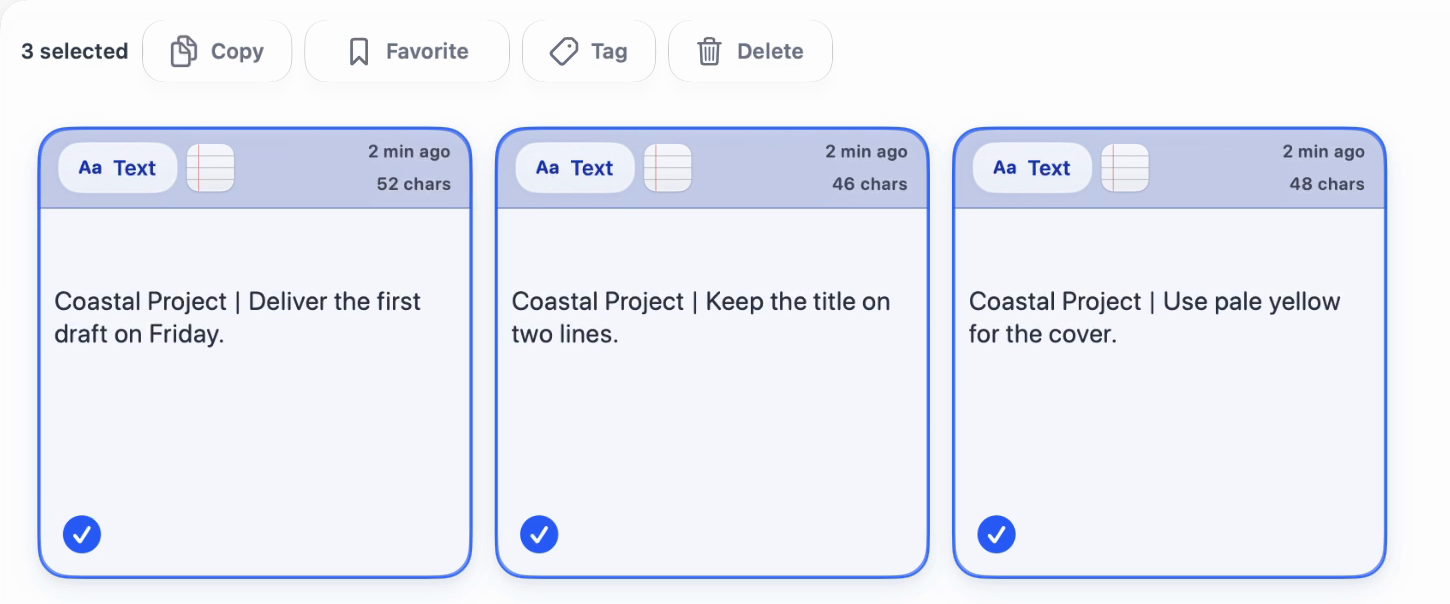
Select individual cards or sweep across them, then copy the selection. Text clips are combined with line breaks. This is one combined copy, not an automatic paste queue.
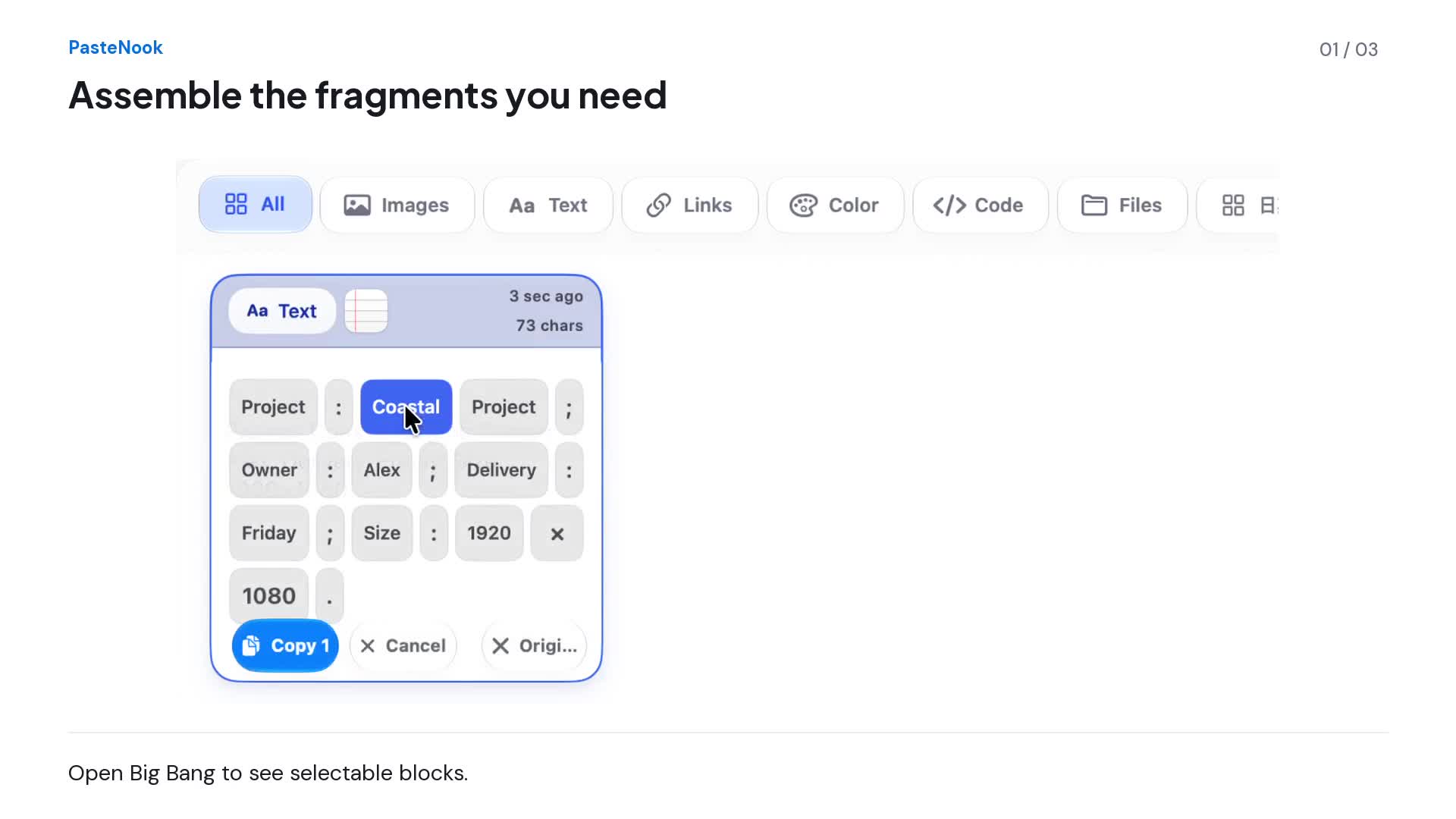
Break any copied sentence into selectable word tokens, pick only the pieces you need, and copy the combined result.
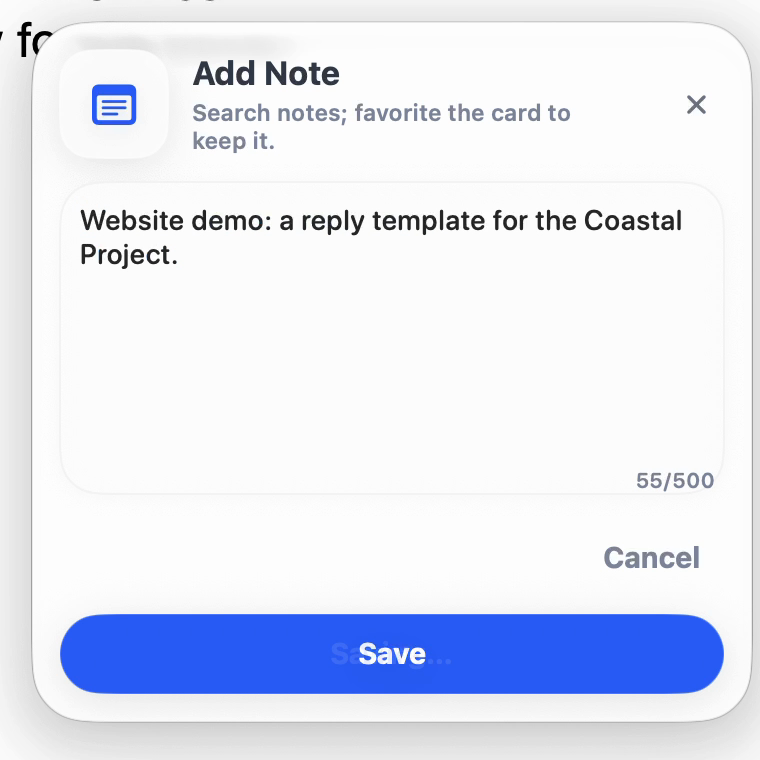
Run on-device Vision OCR on copied images, or attach notes and pin cards so key clips stay easy to find.
Remove the free item-count limit; retention and storage settings still apply. Enhanced previews, QR tools, backup, restore and whole-library CSV/JSON export.

WORKFLOWS
PasteNook can show and search clipboard items it recorded while it was running with recording enabled. Start recording, copy something, then find that captured item in its panel. It cannot recover copies from before installation or content it never captured.
Use PasteNook multi-select to choose several recorded text cards, then choose Copy and paste the combined text into a draft. Text records are joined with line breaks in the displayed list order. This makes one combined copy; it does not paste a queue of separate items automatically.
Start with a keyword, then narrow the recorded history by type, time or whether a record has a note. In PasteNook, notes participate in search. Add a useful project name to a record’s note so you have another way to find it later.
PRICING
Start with the free plan for everyday clipboard history. Upgrade to Paid · VIP to unlock unlimited history, favorites, custom tags, and advanced filters.
Free
Paid unlock
Free for one month
| Feature | Free | Pro |
|---|---|---|
| Find an earlier copy | ✓ | ✓ |
| Copy several text clips together | ✓ | ✓ |
| Split long text and reassemble | ✓ | ✓ |
| Extract image text & leave a note | ✓ | ✓ |
| Favorites, custom tags and advanced app filters or exclusion rules | — | ✓ |
Your page language does not select your store region. Current prices, currencies and offers are confirmed on the App Store purchase sheet.
A trial applies only when the App Store offers eligibility for your account. Subscriptions renew automatically as shown on the App Store confirmation sheet and can be managed or canceled anytime in Apple Account subscription settings.
PRIVACY & LIMITS
Local clipboard storage does not mean that no data is ever processed. Know when a feature uses a network connection or a system permission.
Storage and deletion: History is stored locally on your Mac. Delete selected records explicitly. Bulk history cleanup preserves favorites, so select and delete sensitive favorites separately. Backups and exports also need separate deletion.
Network access: Link previews contact the linked website and are enabled by default in the checked configuration; they can be turned off. Store purchases, update checks and preparation of system translation resources can also use the network.
Automatic paste: Accessibility permission lets PasteNook send Command+V after you choose a record. You can leave automatic paste off and paste manually. Target apps can handle content differently.
Recording controls: Pause recording when needed. App and keyword exclusion rules are available with the paid advanced-filter capability. App Store privacy disclosures currently list linked identifiers and product interaction data.
Privacy policyGUIDES & COMPARE
Find text, links and images that PasteNook has captured on your Mac. Learn how to start recording, search, copy again and check missing records.
Read guide →GuidesSelect several captured text cards, copy them as one value and check the result in a draft. Includes sweep selection and image or file limitations.
Read guide →GuidesUse keyword search, record notes, note and time filters, pinning and paid tags to organize captured clipboard history without changing source content.
Read guide →GuidesCompare PasteNook, Maccy, Paste, and Raycast Clipboard History on macOS across clipboard history capture, batch multi-select merge copy, word splitting, local OCR, and privacy.
Read guide →COMPATIBILITY
FAQ
No. PasteNook can search only content it captured while recording was enabled. Paused recording, exclusion rules, retention and capacity settings can also limit what remains available.
No. Multiple text records are combined into one copied text value with line breaks. Images, files and mixed selections depend on the supported pasteboard formats and the receiving app. Test the destination app; this is not an automatic paste queue or a guarantee that every app accepts a multi-item drop.
The free tier provides core recording, browsing, search and copying with a 100-item / 500 MiB history limit. Paid · VIP unlocks unlimited history, favorites, custom tags, advanced app filters or exclusions, enhanced previews, backup, restore, whole-library CSV/JSON export and QR tools. Current pricing and plan options are confirmed on the App Store purchase sheet.
The optional action sends Command+V to the target app after you choose a record. Without permission you can copy the record and press Command+V yourself. Different apps can accept different formats.
No universal trial duration or eligibility is promised here. Check the offer and renewal price displayed by the App Store for your account. Downloading the app for free does not start a paid subscription by itself.
The free tier provides core clipboard history (up to 100 items / 500 MiB), multi-select merge copy, basic local image OCR and macOS 15+ system translation; Paid · VIP unlocks unlimited history and all advanced local capabilities. Exact prices and available plans are confirmed on the App Store purchase sheet.
When a copied text clip contains a long sentence or address, PasteNook can split it into individual word tokens so you can pick and recombine only the fragments you need. When an image is copied, PasteNook uses Apple’s on-device Vision framework to extract text locally, and on macOS 15+ you can translate text via Apple system translation.
You can pause recording from the menu bar at any time, delete individual sensitive clips explicitly, or use VIP app and keyword exclusion rules to block password managers and private windows from being captured.
Requires macOS 13 or later. Start recording before you need to find something again.


MORE APPS

Menu bar calendar
A menu bar calendar with dates, weather, events, and to-dos. A quiet home for your daily plans, right on your Mac.

Screenshots & OCR
Screenshots, annotations, and text recognition in a focused Mac tool. Capture what matters and get it ready to share.

Screen annotation
Annotate your Mac screen during lessons, presentations or training. Draw, write and highlight directly over your content.